Nobody argues about whether to move the warehouse to the cloud any more. The argument now is about why the results vary so much: two companies migrate the same year, and one of them halves its reporting lead time while the other is six months in, over budget, and quietly running the old server as well.
The seven benefits below are the ones every vendor lists, and every one of them is genuinely available. What the lists leave out is that each one is conditional. The condition is rarely difficult — it is usually a single decision made before the first table is loaded — but it is never automatic, and a benefit you assumed was automatic is the one that turns into a bill.
What actually changes when the warehouse moves
One architectural fact explains the whole list.
On a server in your building, storage and compute are the same box. You size the box for your busiest hour, so it idles for the rest of the month; or you size it for the average, and month-end reporting queues behind itself. Either way the capacity is bought, installed, and sitting there.
A cloud warehouse separates the two. Data rests in cheap storage; query engines start up against it, do the work, and stop. Nothing is reserved for the busy hour because nothing is reserved at all.

Every advantage below follows from that separation — and so does every failure mode. Once compute is elastic and metered, your bill stops being a function of hardware and becomes a function of two things nobody had to think about when the box was already paid for: how the data is laid out, and how often something asks for it.
The seven benefits, and what each one requires
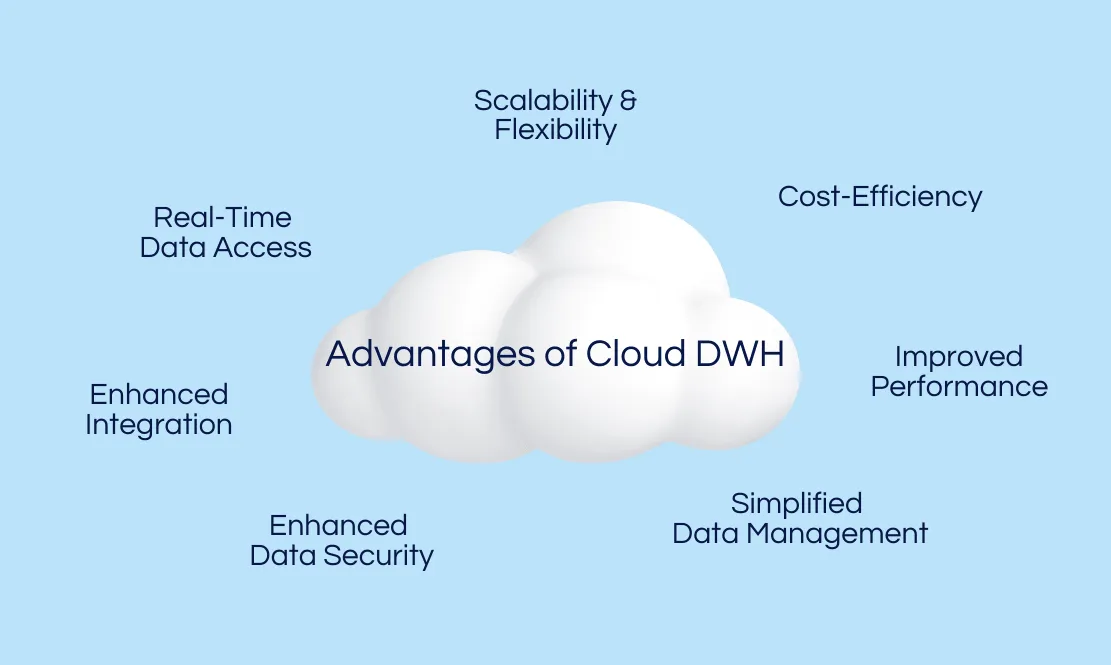
1. Scalability and flexibility. Load ten times the data next quarter and the warehouse absorbs it. There is no procurement cycle and no migration weekend, and this is as good as it sounds.
The condition: elasticity has no opinion about whether the work is worth doing. A dashboard that refreshes every five minutes against a badly laid-out table will scale beautifully, without complaint, and charge you for all of it. On-premise, that dashboard would have slowed down and someone would have noticed. In the cloud it just gets more expensive.
2. Cost efficiency. You pay for what you use instead of for a box sized to a peak that arrives twice a year. For most teams this is a genuine reduction.
The condition: “what you use” is not what most people assume. Under BigQuery’s on-demand model you are billed on the bytes a query reads, not the rows it returns. Google’s own cost guidance is blunt about the consequence: on a table that is not clustered, adding a LIMIT clause does not reduce the data read — you are billed for the full scan even though ten rows come back. The first TiB each month is free; after that, an unfiltered SELECT * on a fact table costs the same whether a person ran it or a scheduler did, at three in the morning, every morning.
Two habits prevent most of this. Set a maximum-bytes-billed limit on queries, so an accident fails instead of invoicing. And when someone is just looking at what a table contains, use the preview — it reads no billable bytes at all.
3. Improved performance. Queries that took minutes take seconds, and analysts stop scheduling their curiosity for after lunch.
The condition: the speed comes from skipping data, not from renting bigger machines. Partitioning splits a table so the engine can prune the partitions that cannot match the filter, and clustering sorts data within them so it reads only the blocks that can. Both depend entirely on queries filtering on those columns. A table partitioned by date and then queried without a date filter is just a table — you paid for the design and got none of it.
Which means the partition key is not a tuning task for later. It is a decision about how people will actually query, made before the data lands.
4. Simplified data management. No patching, no capacity planning, no storage array reaching end of life in the middle of a quarter.
The condition: the work moves, it does not disappear. The provider takes the hardware. What stays with you is the part that was always the hard part: what a “customer” means, which table is authoritative, who is allowed to change a definition. Teams that treat a migration as a chance to settle those questions come out ahead. Teams that lift and shift arrive in the cloud with the same disagreement about the numbers, now running faster.
5. Enhanced data security. Encryption at rest and in transit, audited infrastructure, backups and point-in-time recovery — all of it better than most companies would build alone.
The condition: it is a shared responsibility, and the boundary is sharper than people expect. The provider secures the infrastructure. Who can query the salaries table, whether a service account has more access than the job needs, whether last year’s contractor still has a role — all of that is your configuration, and it is where incidents actually come from.
6. Enhanced integration. Managed connectors pull from your CRM, your ad platforms, your product database, and land it all in one place without a hand-written pipeline for each.
The condition: connectors move data; they do not agree on what it means. Landing raw tables from twelve sources gives you twelve versions of “revenue” in one warehouse instead of twelve systems. That is real progress — one place to reconcile — but the reconciling is still a job, and it belongs to someone by name. This is also where an ELT approach earns its keep: land first, transform inside the warehouse where the compute is, rather than deciding the shape before you have seen the data.
7. Real-time data access. Decisions run on this morning’s numbers instead of last night’s batch.
The condition: freshness is a dial with a price on it, not a setting you switch on. Moving a pipeline from hourly to every five minutes is twelve times the runs, and the cost is charged whether anyone looks or not. The useful question is not “how fresh can this be” but “what decision changes if it is fresher?” For an inventory alert the answer is a lot. For a monthly revenue dashboard it is nothing, and the difference is pure spend.
Three questions before you migrate
Which queries will run most often, and what do they filter on? That answer is your partition and cluster keys. Decide it before the first load — reorganising a large table later is work you did not need to do.
Which table does anyone actually act on within the hour? Refresh that one often. Refresh the rest on the schedule the decisions justify.
Who grants access, and how does access get taken away? Write it down while the warehouse is still empty. It never gets easier than that.
None of these are hard. They are just decisions that have to be made by someone, and the migration is the only moment when making them is cheap.
Originally published on datablast.io in July 2023. Rewritten September 2026.
See it on your own data
20 minutes, your questions, a live walkthrough.